Comparison
Career Capybara vs Jobright: workflow depth vs AI discovery.
Jobright focuses on AI-powered job discovery and matching. Career Capybara focuses on what happens after you find the role — running a stronger application from start to offer.
When the old approach is enough
Jobright works well when you want AI to drive the search for you
When Career Capybara helps more
Career Capybara wins when you want to run the search yourself with better tools
Before vs after
What changes when the workflow stays connected.
Before
Jobright
Job discovery
AI-powered job matching and recommendations.
Application tracking
Track applications with AI-assisted job insights.
Resume support
AI resume analysis and keyword suggestions.
Interview preparation
AI interview coaching and Q&A suggestions.
After
Career Capybara
Job discovery
Focused on executing applications well rather than surfacing them — pair it with any job board.
Application tracking
Deep application records with linked resume versions, notes, interview history, and follow-up context.
Resume support
Full resume workflow: master resume, tailored versions per role, sharing, feedback, and export.
Interview preparation
Role-aware question guide, realistic mock session, and structured post-session answer review.
Side by side
Where the workflow starts to diverge.
| Topic | Jobright | Career Capybara |
|---|---|---|
| Job discovery | AI-powered job matching and recommendations. | Focused on executing applications well rather than surfacing them — pair it with any job board. |
| Application tracking | Track applications with AI-assisted job insights. | Deep application records with linked resume versions, notes, interview history, and follow-up context. |
| Resume support | AI resume analysis and keyword suggestions. | Full resume workflow: master resume, tailored versions per role, sharing, feedback, and export. |
| Interview preparation | AI interview coaching and Q&A suggestions. | Role-aware question guide, realistic mock session, and structured post-session answer review. |
Control vs automation
Do you want AI to run your search, or do you want to run it yourself with AI-powered tools?
Preparation depth
Does the tool help you deeply prepare for each role, or optimize for applying to many roles quickly?
Learning loop
Can you trace outcomes back to specific preparation choices and improve your approach over time?
Product proof
What the connected workflow looks like in practice.
These product surfaces matter because a comparison only becomes convincing when it points back to the actual workflow a user would get.
What happens after the job discovery step
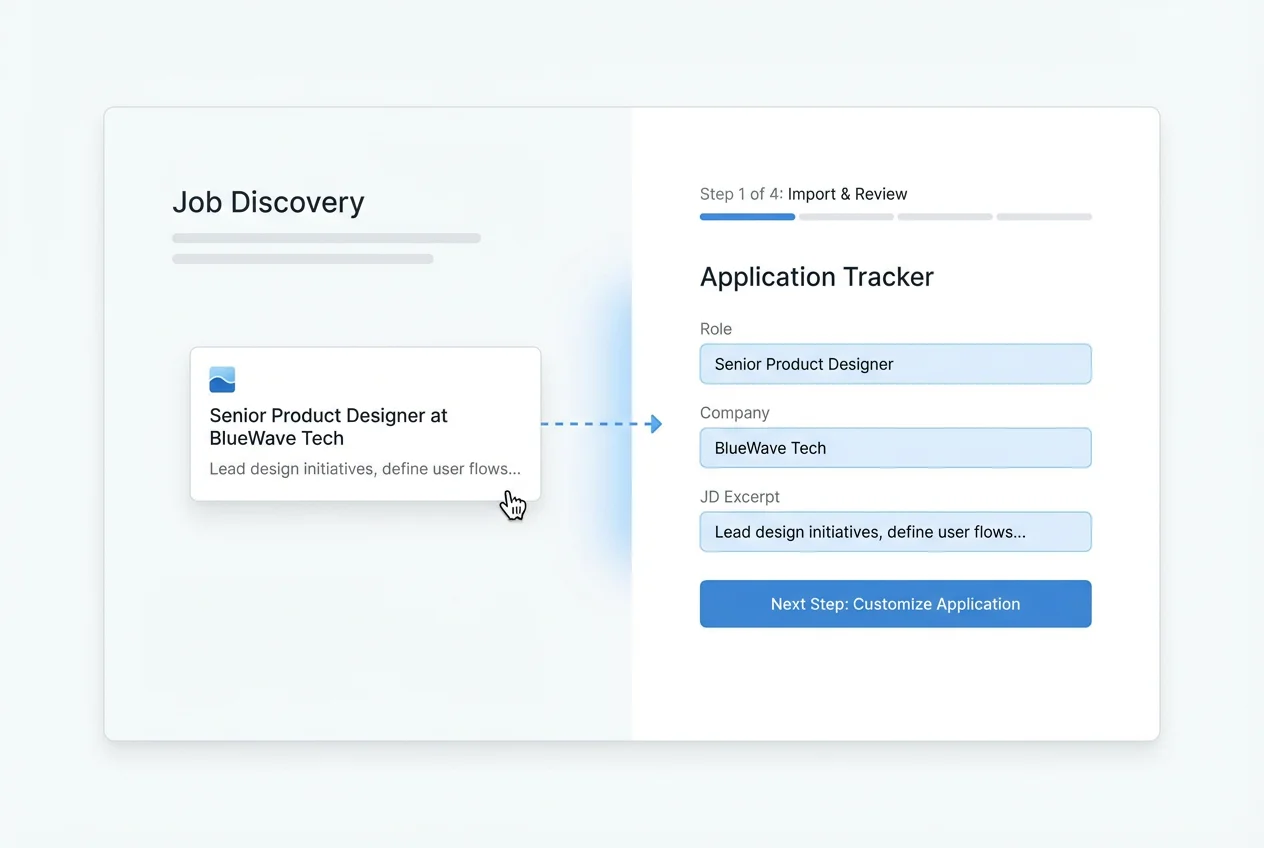
What happens after the job discovery step
Finding the role is the starting line. Career Capybara is designed for everything that follows: building the right materials, running the process, and preparing for interviews.
Interview prep that connects to the role
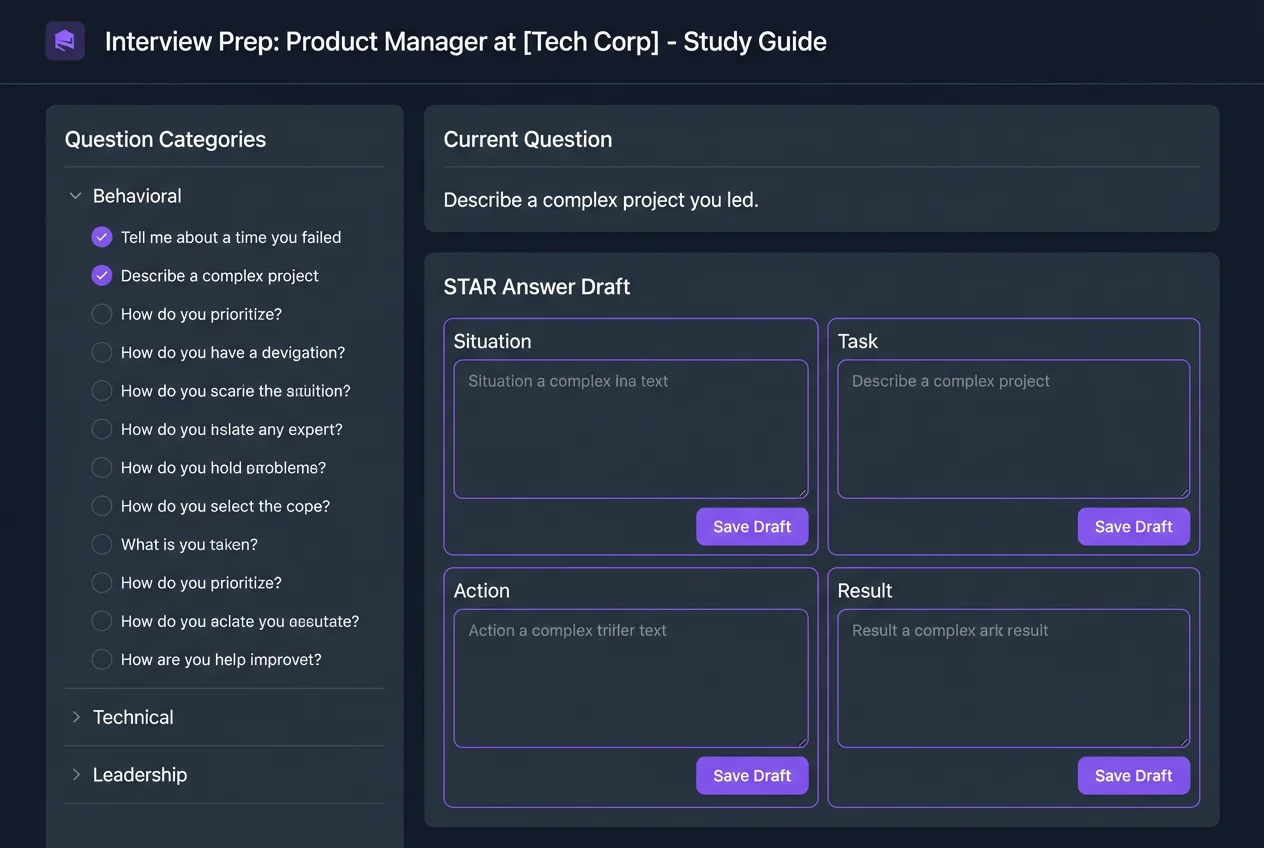
Interview prep that connects to the role
Generic interview coaching is easy to find. Career Capybara generates prep from the actual job you are pursuing and keeps the review loop in the same product.
Keep exploring
See the real workflow after the comparison.
Then use Learn Hub, FAQ, and use-case pages to dig deeper.