Comparison
Career Capybara vs Teal: which one keeps your whole search connected?
Both tools help job seekers stay organized, but they take different approaches to connecting applications, resumes, and interview prep in one place.
When the old approach is enough
Teal works well when you need organized, modular tools
When Career Capybara helps more
Career Capybara wins when every step needs to share context
Before vs after
What changes when the workflow stays connected.
Before
Teal
Application tracking
Kanban board with status tracking and job details.
Resume workflow
Resume builder with tailoring suggestions.
Interview prep
Limited built-in interview preparation.
Workflow integration
Separate modules that do not deeply share state.
After
Career Capybara
Application tracking
Full application record with job context, notes, linked resume versions, and interview history in one place.
Resume workflow
One master resume with role-specific versions that stay tied to the application they were built for.
Interview prep
Role-aware mock interview, question guide, and post-session answer review all connected to the same application.
Workflow integration
Applications, resumes, extension, and interview prep share the same record as the source of truth.
Side by side
Where the workflow starts to diverge.
| Topic | Teal | Career Capybara |
|---|---|---|
| Application tracking | Kanban board with status tracking and job details. | Full application record with job context, notes, linked resume versions, and interview history in one place. |
| Resume workflow | Resume builder with tailoring suggestions. | One master resume with role-specific versions that stay tied to the application they were built for. |
| Interview prep | Limited built-in interview preparation. | Role-aware mock interview, question guide, and post-session answer review all connected to the same application. |
| Workflow integration | Separate modules that do not deeply share state. | Applications, resumes, extension, and interview prep share the same record as the source of truth. |
Workflow depth
Does each module pass meaningful context to the next, or does each one start fresh?
Interview integration
Is mock interview prep and post-session review part of the tool, or external?
Resume traceability
Can you trace exactly which resume version went to which company and how it performed?
Product proof
What the connected workflow looks like in practice.
These product surfaces matter because a comparison only becomes convincing when it points back to the actual workflow a user would get.
One record powers the whole workflow
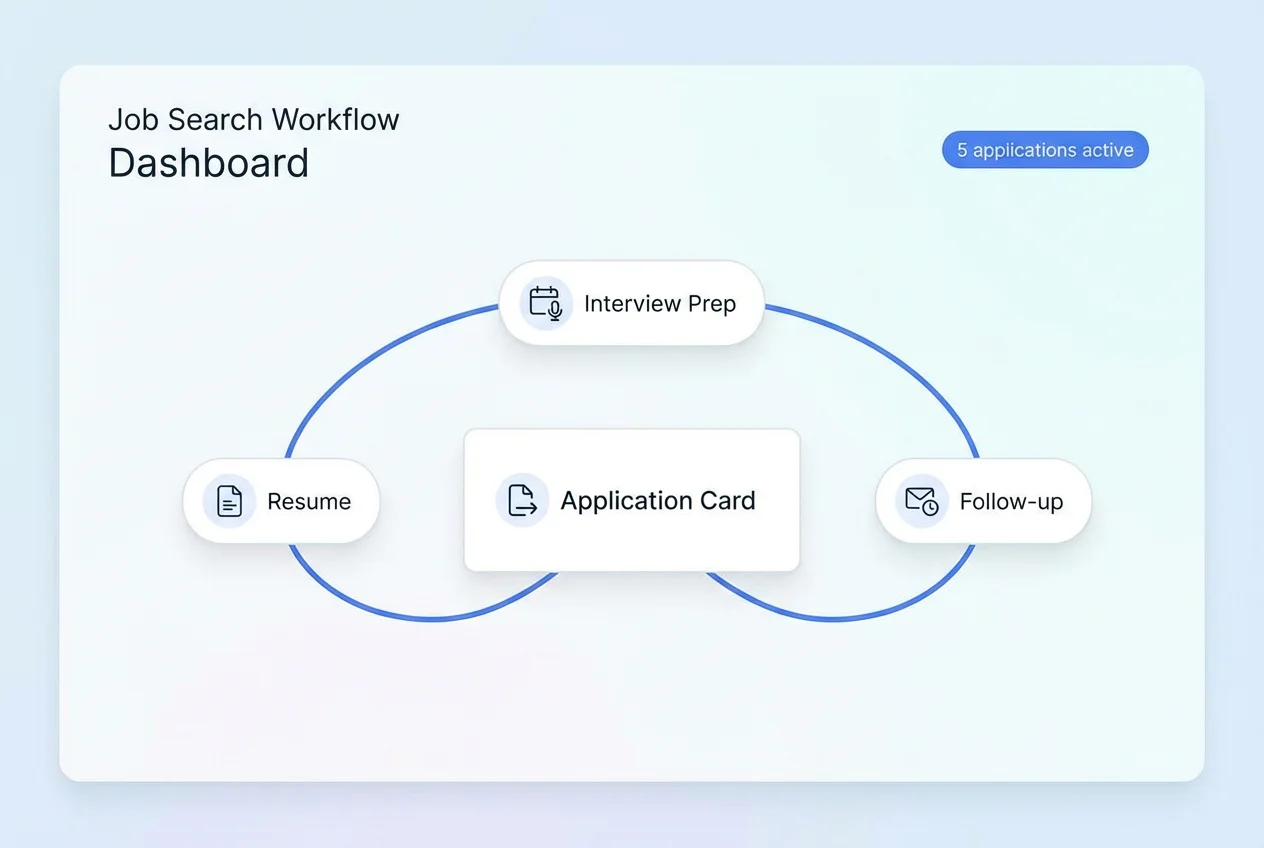
One record powers the whole workflow
The application is not just a status card. It holds the context, the resume version, and the interview history together.
Interview review is built into the loop
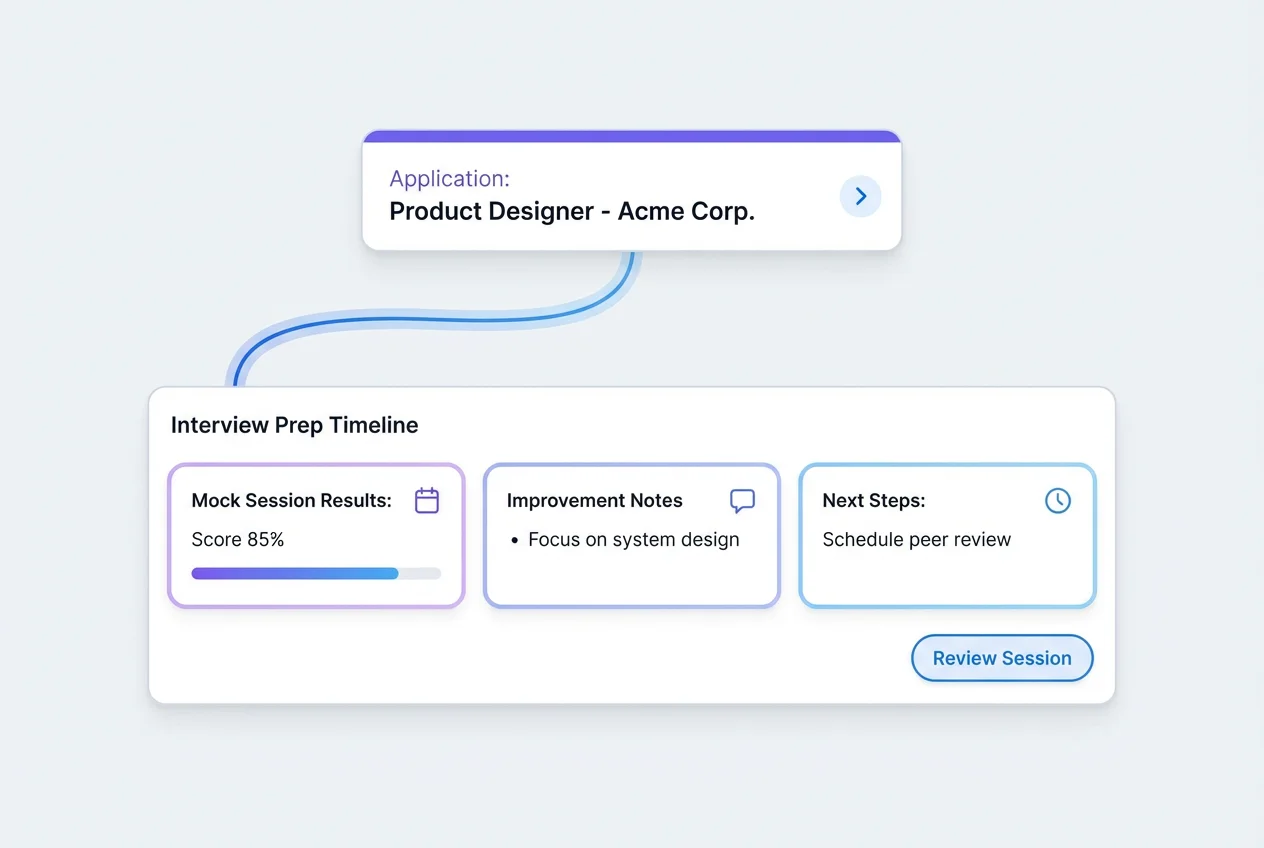
Interview review is built into the loop
Practicing without reviewing is leaving learning on the table. The post-session review is part of the core workflow, not an afterthought.
Keep exploring
See the real workflow after the comparison.
Then use Learn Hub, FAQ, and use-case pages to dig deeper.