What you'll learn
- Daily pattern: open Dashboard first, clear top 1-3 actions, then switch into Resumes or Applications for focused execution.
- Dashboard Module: Complete Component Guide
- Top Summary Cards
- Activity Panels
Dashboard Module: Complete Component Guide
The Dashboard is your control center. Use it to check pipeline health, resume progress, and interview readiness before deciding your next action.
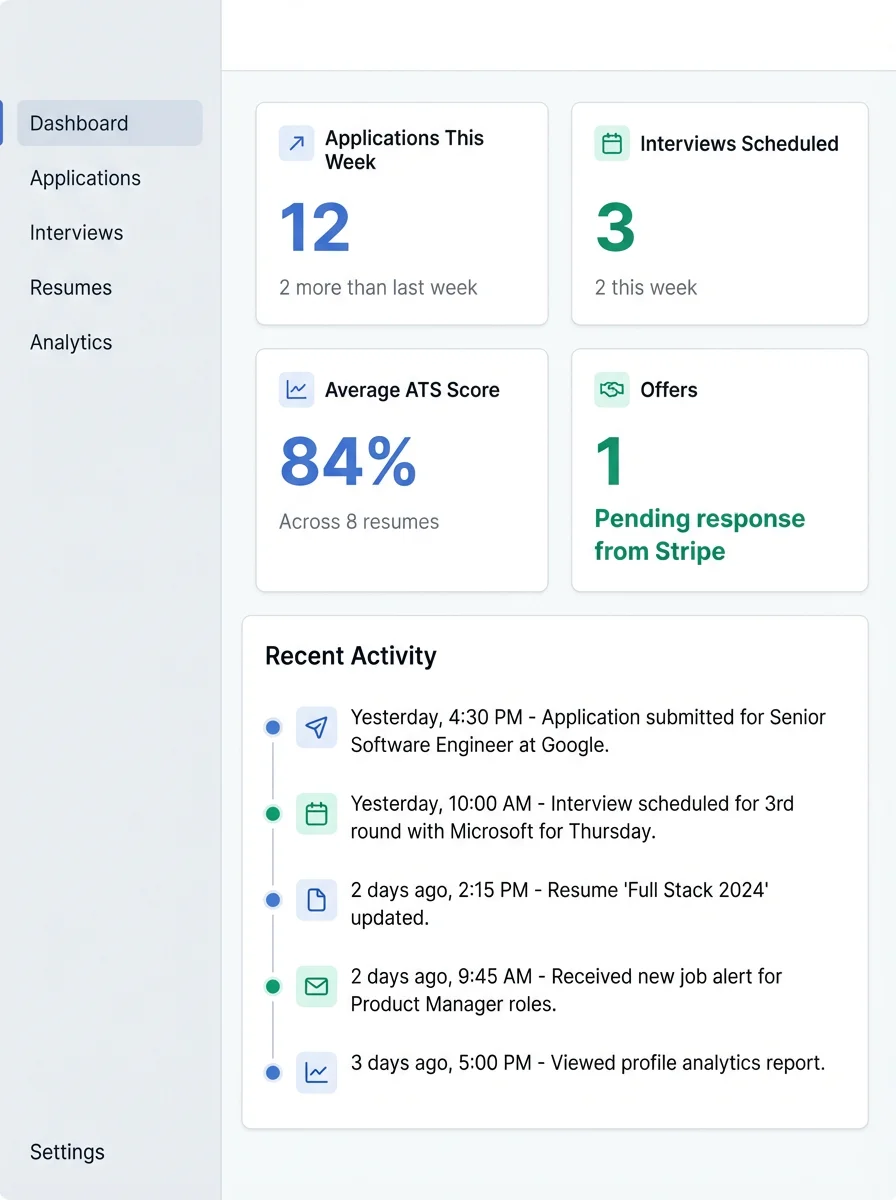
Top Summary Cards
- Applications count: Total active opportunities.
- Interview count: Upcoming and active interview sessions.
- Resume readiness: Signals whether your base assets are prepared.
Activity Panels
- Recent activity: Latest changes across resumes and applications.
- Action queue: Pending tasks that need attention today.
- Quick links: Fast navigation to the module where work should continue.
Daily pattern: open Dashboard first, clear top 1-3 actions, then switch into Resumes or Applications for focused execution.