What you'll learn
- Treat Job Hunting Like a Sales Campaign
- Step 1: Adding a New Prospect
- Step 2: Advancing the Pipeline
- Step 3: Capturing Ephemeral Knowledge
Treat Job Hunting Like a Sales Campaign
The average job search requires tracking dozens—sometimes hundreds—of applications. Spreadsheets are clunky. Career Capybara's Kanban Board offers visual organization.
Step 1: Adding a New Prospect
Whenever you find an interesting job listing on LinkedIn, quickly navigate to Career Capybara and click the "+" icon. Paste the job URL—Career Capybara will try to automatically populate the company name and role.
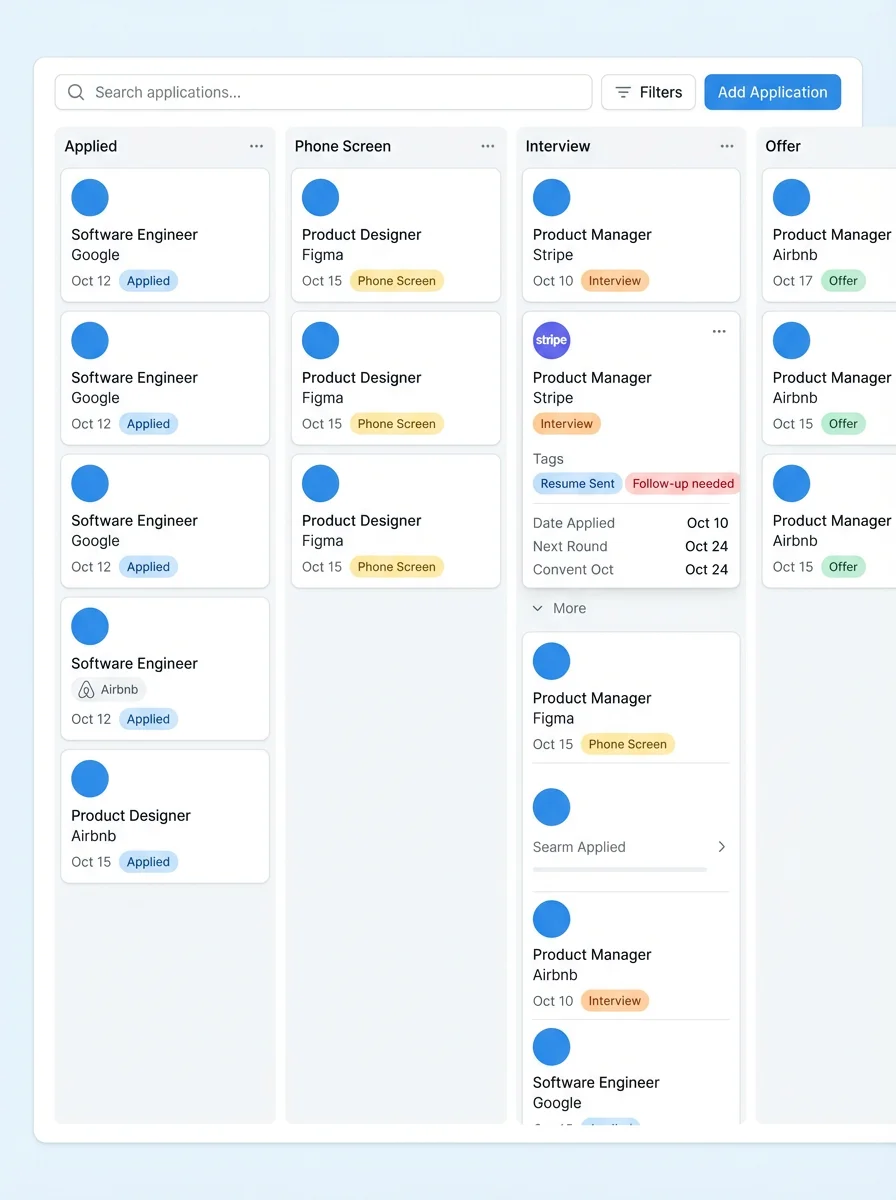
Step 2: Advancing the Pipeline
As you progress from "Applied" to "First Round" to "Onsite", simply drag and drop the application card between columns. This feeds data into your Analytics view to show you conversion metrics at each step.
Step 3: Capturing Ephemeral Knowledge
Click on a card to open its detail view. Here, you should attach the correct tailored Resume you used for the application. After a recruiter call, instantly type your "Notes" indicating the recruiter's name, salary expectations, and date for the next round.