What you'll learn
- Make sure you always review the AI output! Sometimes it might slightly exaggerate your experience. Integrity is key.
- Stop Sending Generic Resumes
- Step 1: Paste Your Job Description
- Step 2: Run The Keyword Scanner
Stop Sending Generic Resumes
The Applicant Tracking System (ATS) rejects resumes that do not contain the specific keywords present in the Job Description (JD). Let's use Career Capybara to automate targeted tailoring.
Step 1: Paste Your Job Description
Find a job you want to apply for and copy the entire text. Open the Career Capybara **Resumes** tab and click the prominent **Create New Tailored Resume** button.
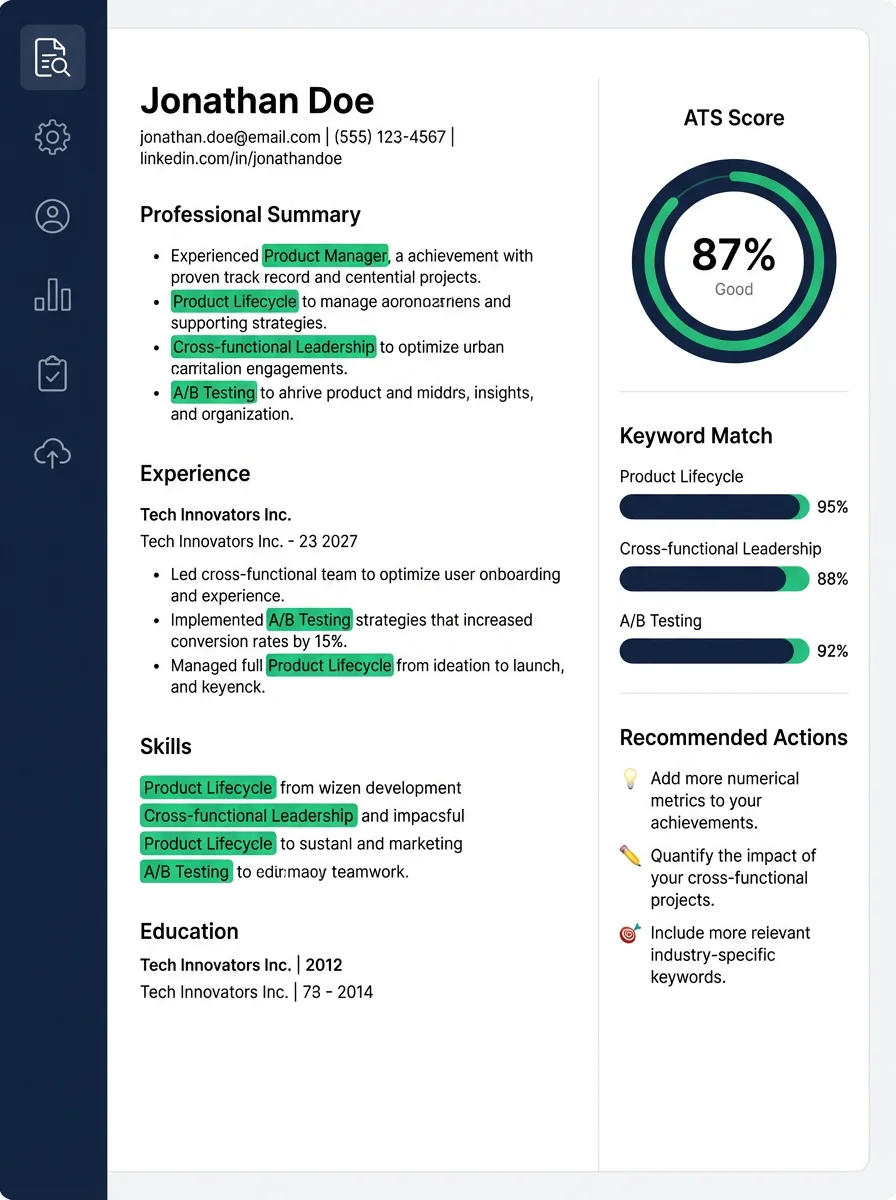
Step 2: Run The Keyword Scanner
Click "Analyze". Wait 10-15 seconds. The AI engine will cross-reference your Master Resume with the Job Description and highlight missing Hard Skills and missing Soft Skills.
Step 3: Implement AI Suggestions
Click "Auto-Optimize". The AI will rewrite your bullet points. It integrates the missing keywords naturally without keyword stuffing. Read through the generated bullet points, tweak them if they sound unnatural, and finally click "Export PDF".
Related questions